A free, editable access control policy template you can copy or download as a Word
document, no sign-up. Below it, a guide to every clause: what it has to say, the
4 wordings people reliably get wrong, and the joiner, mover and leaver
tickets and access review records an auditor will ask you to produce. When you would
rather not fill it in, PolicyMint generates this one document for your organization -
and your first document is free.
Rather not fill it in yourself? Have
this one document generated in your branding instead -
the signup credits cover the first one. Card required to download that one; no charge today.
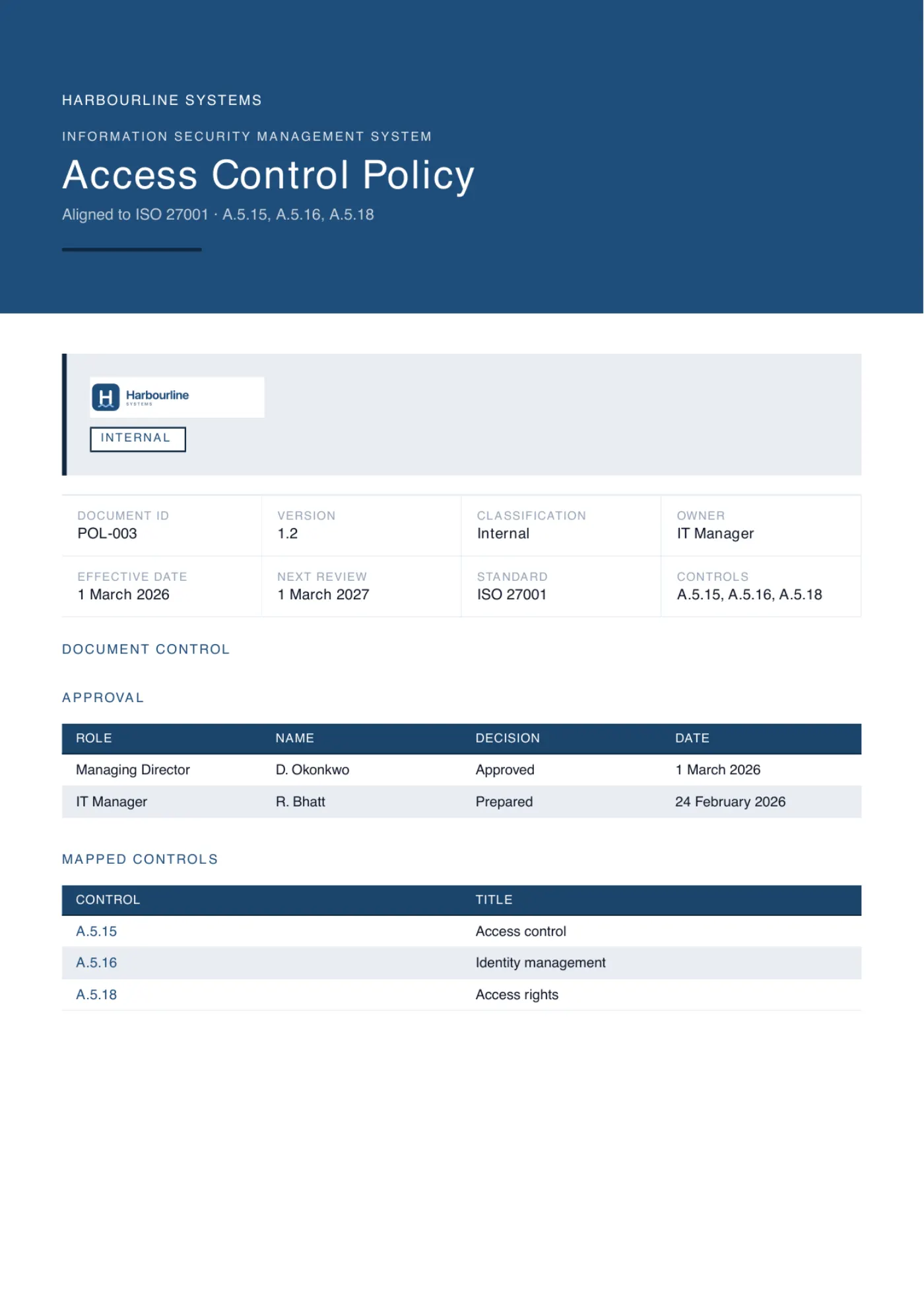
Generated from this page's structure, in an example company's branding
Free template
Free access control policy template
The complete access control policy, free to copy from this page or download as an editable Word document.
No sign-up. Replace every [bracketed placeholder] with your own details, delete anything that
does not apply, and have it approved before you rely on it. The guide below
explains what each section has to contain and what an auditor checks.
An editable access control policy. Replace the bracketed placeholders with your own details.
[Organization] grants access on a least-privilege, need-to-know basis. This policy sets out how access is requested, approved, granted, changed, reviewed and removed, and who is accountable at each step.
1. Purpose
So that every person and system holds exactly the access their work requires, for only as long as they require it, and so [Organization] can show who had access to what.
2. Scope
All employees, contractors and third parties, and every system holding [Organization] information: the identity provider, cloud platforms, business applications, source code and physical entry to [locations].
3. Access control principles
Least privilege: the minimum access needed to do the job, not the maximum that is convenient.
Need to know: access to a data set needs a business reason, not a job title.
Separation of duties: nobody approves their own request.
Accounts are individual; shared logins are not permitted.
4. Identity and authentication
Every user has one identity in [identity provider], and applications connect to it through single sign-on wherever possible. Multi-factor authentication is required for everyone, administrators included, and local accounts are disabled on any system behind single sign-on.
5. Granting access (joiners)
The hiring manager requests access in [ticket system] before the start date and the system owner authorizes it. New starters get the standard role profile for their position; anything beyond it needs a written justification on the ticket.
6. Changing and removing access (movers and leavers)
When someone changes role, their manager raises one request stating the access to add and the access to remove; entitlements from the previous role are revoked within five business days. When someone leaves, [Role] disables the account and revokes active sessions and API tokens on the final working day.
7. Privileged access
Administrator and production access goes to named individuals only, held separately from their everyday account and authorized by [Role]. Privileged sessions are logged for [period]. Every service account has a named human owner and rotated credentials.
8. Emergency (break-glass) access
[Organization] keeps [number] break-glass accounts for when normal access paths fail. Credentials sit in [vault], any use raises an automatic alert to [Role] and is reviewed within one business day, and credentials are rotated immediately afterwards.
9. User access reviews
System owners review who holds access: quarterly for privileged and production access, at least annually for the rest. The reviewer must not be the account holder. Every line carries a recorded decision - retain, reduce or revoke - and revocations are actioned within five business days. Completed reviews are kept as evidence.
10. Third parties, exceptions and review
Third-party access is time-limited, authorized by [Role] and reviewed on the same cycle as internal access. Exceptions must be requested from [Role], risk-assessed, time-limited and recorded. Owned by [Role], reviewed annually. Approved by [name], [title], on [date]. Version [x.x].
A solid start, but the policy is not the control. An auditor will ask for the joiner, mover and leaver tickets and a completed access review that proves it runs. PolicyMint writes it alongside the rest of your ISO 27001 set, checked first.
The guide
How to write an access control policy, clause by clause
10
sections
4
with real wording
7
auditor requests
7
failure modes
The document runs to 10 clauses, none of them long. The work is not the prose -
it is deciding who approves what, how fast access comes off, and who signs the reviews. Exact
wording is quoted for the 4 clauses that get written badly almost every time.
1
Purpose
What it must contain
The outcome the document exists to produce: everyone holds the access their work needs, only while they need it, and you can show after the fact who held what.
What the auditor checks
Purpose is where an auditor decides whether you are managing access or filing a document. A purpose that says only "to comply with the standard" answers nothing.
2
Scope
What it must contain
Who it covers (employees, contractors and third parties) and which systems it covers: the identity provider, cloud platforms, business applications, source code, and physical entry to your sites.
What the auditor checks
Scope is the cheapest place to find a gap. Contractors and physical access are the two most commonly left out, and anything outside scope also falls outside your review cycle.
3
Access control principles
What it must contain
Least privilege, need to know, separation of duties, and individual accounts - each written as a rule an approver could apply to a real request rather than a slogan.
What the auditor checks
The principles are what you fall back on when a request does not fit any existing role profile. If they are too vague to settle an argument, every grant becomes a negotiation.
Wording that works
Need to know: access to a data set needs a business reason, not a job title.
It separates need to know from least privilege, which most policies blur, and it hands the approver a single question they can answer on the ticket. "Everyone in Sales has it" stops being an argument.
4
Identity and authentication
What it must contain
One identity per person in a named identity provider, single sign-on wherever an application supports it, multi-factor authentication for everyone including administrators, and local accounts disabled on anything behind single sign-on.
What the auditor checks
This gets sampled directly. An auditor will ask to see enforcement, then look for the local logins that quietly bypass it - the ones created so a contractor could get in on a Friday.
5
Granting access (joiners)
What it must contain
Who requests, who authorizes, what a new starter gets by default, and what happens when someone asks for more than the default. Name the standard role profile per position.
What the auditor checks
Without a default profile there is nothing to compare an account against at review time, so every review becomes a debate about whether that access was ever justified.
6
Changing and removing access (movers and leavers)
What it must contain
Movers as a single request naming what to add and what to remove, with a deadline. Leavers as account disabled, sessions and API tokens revoked, and their work reassigned on the final working day.
What the auditor checks
This is the clause auditors test hardest, because leaver and mover tickets are easy to sample, carry dates, and cannot be reconstructed after the fact.
Wording that works
When someone changes role, their manager raises one request stating the access to add and the access to remove; entitlements from the previous role are revoked within five business days.
One request forces the removal to happen, because two requests means only the first one ever gets done. And five business days is a number a sample either passes or fails; "promptly" cannot be failed, which is exactly why it cannot be passed.
7
Privileged access
What it must contain
Named individuals only, administrator access held on an account separate from everyday work, a named authorizer, session logging with a retention period, and a human owner plus credential rotation for every service account.
What the auditor checks
Service accounts are the ones nobody owns and nobody reviews. Once you claim least privilege, they are the first thing an auditor asks you to account for.
8
Emergency (break-glass) access
What it must contain
How many break-glass accounts exist, where the credentials live, what happens automatically when one is used, who reviews that use and how quickly, and that the credentials are rotated afterward.
What the auditor checks
Most policies omit this entirely, so real emergencies happen off-policy. An auditor who finds no break-glass clause assumes the answer is a shared administrator login in someone's password manager.
Wording that works
Any use raises an automatic alert to [Role] and is reviewed within one business day.
The alert is automatic, so the use is detected without anyone volunteering it, and the review carries a deadline rather than an intention. Where the credentials live and how fast they are rotated afterward are the other two decisions the clause has to settle.
9
User access reviews
What it must contain
Who reviews (the system owner, not the account holder), a cadence split by risk, a recorded decision on every line, and how fast a revocation has to be actioned.
What the auditor checks
The completed review is the strongest single piece of evidence you can hand over. This clause is what tells the auditor the record they are holding is the one you promised to produce.
Wording that works
Every line carries a recorded decision - retain, reduce or revoke.
"Every line" closes the gap where only the removals get written down, so a retained entitlement reads as a decision somebody made instead of a row nobody opened. Say in the same clause who reviews, and how fast a revocation has to be actioned, so the record leads to a ticket an auditor can follow to the end.
10
Third parties, exceptions and review
What it must contain
Third-party access as time-limited, authorized and reviewed on the same cycle as internal access; an exception route that is requested, risk-assessed, time-limited and recorded; and the document's own owner, review cycle, approver, approval date and version number.
What the auditor checks
An undated, unapproved, unversioned policy is a finding on its own. And with no exception route, people work around the policy quietly instead of on the record.
Settle the lifecycle before you write clauses 5 and 6
A policy line saying access is removed promptly is not a procedure. What makes joiner, mover
and leaver work is specific: a trigger that fires without anyone having to remember, a named
owner, one action, a deadline. Decide all four for your own organization and the two clauses
write themselves.
Joiner
Trigger
Signed contract recorded in [HR system]
Owner
Hiring manager requests, system owner approves
Action
Provision the standard role profile; anything extra needs a written justification.
SLA
In place on day one, not day five
Mover
Trigger
Role change confirmed by the manager
Owner
Manager raises add and remove in one request
Action
Grant the new role profile and revoke every entitlement from the old one.
SLA
Old entitlements gone within 5 business days
Leaver
Trigger
Departure recorded in [HR system]
Owner
IT, confirmed in writing by the manager
Action
Disable the account, revoke active sessions and API tokens, reassign what they owned.
SLA
Same day the person finishes
Keep the finished document under three pages, name an owner, and put an approval date and a
version number at the foot of it before you circulate it. Writing it is the easy half. The
next two sections are the half that gets tested.
Nobody is ever asked to demonstrate least privilege. You are asked for named people, named
tickets and dates. The 7 requests below cover most of an access control audit.
?
Show me the access control policy.
Satisfies
A current version with a named owner, an approver, an approval date and a next review date that has not already passed.
Fails
A document with square brackets still in it, or a review date from two years ago.
?
Pick three people who left in the last six months. What happened to their accounts?
Satisfies
A leaver ticket for each, dated on or before the final working day, and identity provider records showing the account disabled and sessions revoked.
Fails
An account still enabled because the person might come back as a contractor.
?
Take someone who changed roles. What access did they lose?
Satisfies
One request naming both the entitlements added and the entitlements removed, and a system record showing the old group membership is gone.
Fails
A grant ticket with no matching revocation. This is the most common access finding there is.
?
Show me the last access review for a production system.
Satisfies
A completed record with a named reviewer who is not the account holder, a decision against every line, and a completion date.
Fails
An export of who currently has access, with no decisions written on it.
?
Who holds administrator access to production, and why?
Satisfies
A short list of named people, each on an administrator account separate from their everyday one, with multi-factor authentication enforced and a business reason on record.
Fails
A shared root login, or an administrator group nobody present can fully account for.
?
Has break-glass access been used since the last audit?
Satisfies
The automatic alert, the review that followed it inside your stated deadline, and the credential rotation afterward.
Fails
No break-glass account at all, which means the last emergency ran on somebody's standing administrator rights.
?
Which service accounts and API tokens exist, and who owns them?
Satisfies
A list with a named human owner per account, rotation dates, and those accounts included in the same review cycle as people.
Fails
Service accounts left out of the review on the grounds that they are not users.
The record several of those questions turn on
A user access review is a periodic check of who holds access to a system, made by the person
who owns that system rather than the people in it. Quarterly for privileged and production
access, at least annually for the rest. The output is not the export you pulled from your
identity provider - it is the record of what you decided about each line of it. Here is one
line, filled in.
Scroll the record sideways to read all 9 columns.
Worked example of a completed user access review record.
System
User
Role or entitlement
Access granted
Business justification
Reviewer
Decision
Action taken
Date completed
AWS production (IAM)
J. Okafor, Support Engineer
AdministratorAccess, via group prod-admins
3 Dec 2025
Added for the December incident rotation; moved from Platform to Support in March
M. Silva, Head of Engineering
Revoke
Removed from prod-admins, issued read-only role (ticket ITS-2214)
18 Jul 2026
Three things turn that into evidence rather than a spreadsheet. A named reviewer who is not
the account holder, so the decision is independent. A recorded decision on every line,
including the ones where the answer is retain, because a blank row reads as a row nobody
looked at. And a completion date - a review that was never finished is a review that never
happened.
Failure modes
Where these documents fall over
None of these are exotic. They are what a competent team produces when the document gets
written once and is never tested against what happens on a Friday afternoon. Read your own
draft against the list.
!
Every deadline is the word "promptly"
Promptly, in a timely manner, as soon as practicable: none of these can be failed by a sample, which is precisely why none of them can be passed either. Put a number against every removal. Same day for leavers, five business days for movers, and say business days so a Friday departure is not quietly a Tuesday one.
!
Leavers get processed and movers never do
Leavers get done because somebody notices a laptop that has not come back. Movers are where privilege creep accumulates: adding access is a ticket a manager chases, removing it is nobody's job. One reorganization later a support engineer is still carrying the production administrator rights they picked up during an incident, which is exactly the line the review record above catches.
!
The access review is an export, not a decision
Pulling the current user list is the easy tenth of the job. What makes it evidence is the recorded decision beside each line and a completion date at the bottom. A spreadsheet of who has access, with nothing written against any row, proves only that you can run a report.
!
The reviewer is the person being reviewed
A team lead signing off their own administrator access is not a review, and an auditor spots it in one glance at the reviewer column. Independence costs nothing to write in and is close to impossible to retrofit once the review has already been signed.
!
Service accounts and API tokens are out of scope
Human accounts get tidied up because people leave and somebody notices. Tokens do not leave. They sit in a pipeline nobody has opened in two years, they rarely expire, and they usually hold more access than any person does. Give each one a named human owner and put them in the same review cycle.
!
Administrator access is the everyday account
One account reading email in the morning and deploying to production in the afternoon means every phishing link is a production incident. Separate accounts also make the logs readable, because you can tell routine work from privileged work without guessing.
!
The policy contradicts your other documents
The onboarding checklist says access is arranged in the first week; this policy says day one. The supplier policy reviews third parties annually; this one says quarterly. Auditors read documents side by side, and a contradiction is worse than a gap because it shows nobody is reading the set as a whole.
From template to audit-ready
Where access control sits in ISO 27001
Access control is not one box to tick, which is why a single policy rarely clears it. ISO
27001 expects a topic-specific access control policy (A.5.15), a managed identity lifecycle
behind it (A.5.16), and access rights granted, changed and withdrawn in step with the people
who hold them (A.5.18). The document you write from the guide above is the first of those;
the other two are procedures, judged on the tickets and completed reviews they produce.
For the control-level detail behind A.5.15 and the evidence that satisfies it, our sibling
site ControlStack has a full breakdown of
what this control asks for in practice. And a certifiable management system needs more
than one good policy: the Statement of Applicability, a risk methodology and the
risk register it produces, and the
topic policies your controls require, none contradicting the others. See the full
ISO 27001 documentation set, or size
the work with an ISO 27001 gap analysis.
See the real output
What PolicyMint generates
Same structure as the guide, with none of the decisions left to you: your identity provider
named, your joiner, mover and leaver owners and deadlines set, privileged and break-glass rules
written for the systems you actually run, and a review cadence you can defend. It cites A.5.15,
carries your branding, and exports to Word, PDF or Excel. The cover in the hero and the body
page below are exactly that output, generated for an example company.
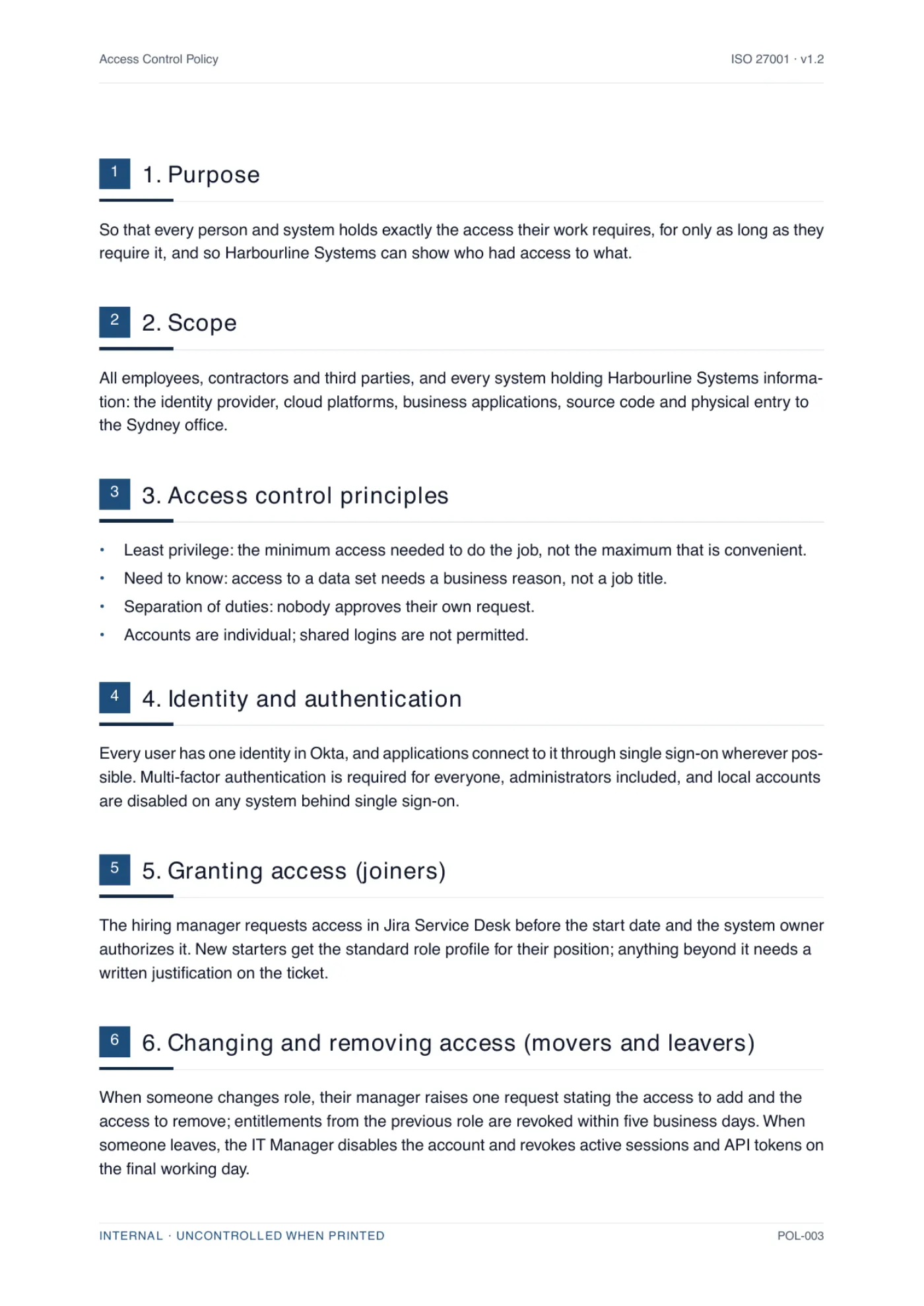
One page of the generated document, for an example company. The trial produces the whole
document, not a sample.
Where the guide says [role] or [system], the document says yours; where PolicyMint
cannot know a fact, it asks rather than guesses.
Guided reviewActual product
The one fact this document could not know stays highlighted in the document and the
export. The review explains what is needed and writes your answer in. Nothing is
invented. Fictional demo data.
Side by side
Writing it yourself vs generating it
Both routes end with the same 10 clauses. What differs is how many of the
decisions inside them you make alone, and who checks the result before an auditor does.
Scroll the table sideways to compare both routes.
Dimension
Writing it yourself
Generating it with PolicyMint
Where you start
The free template and the guide above. Every decision inside the structure is still yours to make
A finished draft of the same ten clauses, with the decisions already written in
Tailored to your systems
Only as specific as you make it, and most drafts stop at [identity provider]
Written from your real identity provider, platforms and approval chain
Lifecycle and review detail
The pattern is here; you map it to your own roles, systems and cadence
Owners, triggers, SLAs and review cadence set for your team, with no brackets left in
Checked before you see it
Whoever on your team you can talk into reading it
Three independent verifiers on a different AI model, plus a repair pass
Control citations and format
You map it to A.5.15 and format it yourself
Cites the controls it satisfies, in your branding, exported to Word, PDF or Excel
Agreeing with your other documents
Yours to check by hand, and contradictions between documents are what auditors flag
Generated against the rest of your set, so the wording lines up. Generate the set together and it is settled across every document
What it costs
Free, and a day or two of your own writing
One document, one-time, and the signup credits cover the first one
ISO 27001 documents
36
ISO 27001 documents
tiered by what you actually need
ISO 42001 documents
21
ISO 42001 documents
for AI management systems
Clauses and controls mapped
182
Clauses and controls mapped
every document cites the ones it satisfies
Verifiers per section
3
Verifiers per section
on a different model to the writer
Access control FAQ
The questions people ask
Including how often to run a user access review, and what least privilege means in practice.
What is an access control policy?
The document that states who may reach which systems and data, on what basis, and how that access is granted, changed, reviewed and removed. A usable one names the principles (least privilege and need to know), the identity rules, the joiner, mover and leaver steps with owners and deadlines, and the review cadence.
What is a user access review and how often should you do one?
A periodic check, made by the person who owns a system rather than the people using it, of every account with access and whether it is still justified. Quarterly is normal for privileged and production access, annually for the rest. What you keep is the recorded decision on each line, with a named reviewer and a completion date.
What is the joiner-mover-leaver (JML) process?
The lifecycle that keeps access matched to what someone actually does. A joiner gets the standard role profile for their position on day one. A mover gets new access granted and old entitlements revoked in the same request. A leaver has their account and tokens revoked on their final day. Each step needs a trigger, an owner and a deadline.
What does least privilege actually mean in a small company?
Each person holds the minimum access their job needs, and you can point to a business reason for every entitlement. In practice: define a standard role profile per position rather than negotiating access case by case, keep administrator access on a separate account, and make anything granted for an incident expire rather than become permanent.
Is this access control policy template free to download?
Yes. The complete template is on this page and as an editable Word document, with no sign-up and no card. Replace the bracketed placeholders, delete what does not apply, and have it approved before you rely on it. If you would rather have it written for your organization, with your identity provider, owners and review cadence filled in, PolicyMint generates it and your first document is free; we ask for a card only when you download that one, and it is not charged.
Is a free access control policy template enough for ISO 27001?
It is a genuine start, but no. An auditor tests the procedure, not the prose: they will ask for leaver tickets, mover requests and a completed access review with a named reviewer and a date, and check that this policy agrees with your other documents. PolicyMint generates the whole ISO 27001 set together.
How much does a full ISO 27001 document set cost?
PolicyMint's Full ISMS / AIMS pack is a one-time A$350US$229£179€209 including GST and covers a complete certifiable ISO 27001 set of 36 finished documents, or a complete ISO 42001 set of 21. Each document is drafted from your own business profile, checked by three independent verifiers before you see it, and exported in your branding as Word, PDF and Excel. There is no subscription and credits are valid for 18 months. That is about A$8.75US$5.73£4.48€5.23 per finished document. For comparison, Advisera publicly lists about A$1,300 (US$897)US$897about £660 (US$897)about €780 (US$897) one-time for pre-written templates you complete with its AI copilot, and GRC Solutions (formerly IT Governance) about A$950 (£495)about US$670 (£495)£495about €580 (£495) excl. VAT. Certification itself is a separate cost, paid to an auditor and a certification body.
Ready when you are
Stop staring at an empty
document set
Set up your business once. Get the documents you actually need, written for how you really operate, in your branding, checked before you see them.